Running out of Mac storage or looking for a dependable backup destination? The best external hard drives for Mac make it easy to protect photos, videos, documents, and entire system backups without relying solely on cloud storage.
This roundup compares 10 portable USB hard drives from LaCie, WD, and Seagate, covering capacities from 1TB to 6TB and features such as password protection, backup software, rugged construction, and cross-platform compatibility.
Best 10 External Hard Drives for Mac Picks for 2026
Rugged Protection

- 4TB portable USB-C storage for Mac and PC
- Drop, dust, drip, and crush resistance
- AES encryption and Rescue Data Recovery Services
Best For: Mac users needing durable field-ready storage
Everyday Backup

- 5TB portable storage in a slim design
- Backup software with ransomware defense
- Password protection and hardware encryption
Best For: Mac users wanting capacious everyday backups
Simple Plug and Play

- 4TB portable USB 3.0 storage
- Works with Mac and Windows computers
- No software required for setup
Best For: Mac users wanting easy drag-and-drop storage
Mac-Ready Security
WD My Passport Ultra for Mac 5TB
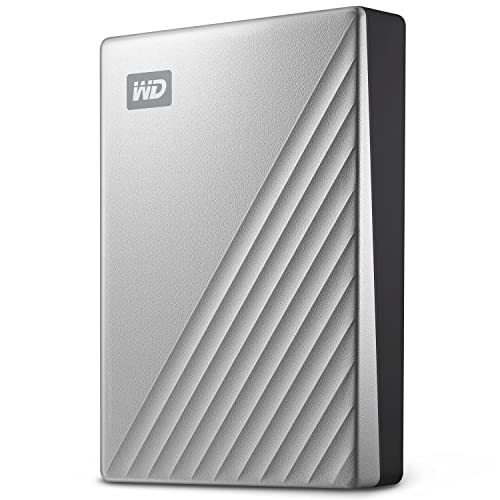
- Formatted for Mac with 5TB capacity
- USB-C and USB 3.1 compatible
- 256-bit AES encryption and password protection
Best For: Mac users wanting secure, ready-to-use storage
Simple Starter
- Compact 1TB portable HDD
- USB 3.0 plug-and-play setup
- Works with Mac, PC, and consoles
Best For: Personal backups and everyday portable storage
High-Capacity Value

- Large 5TB storage capacity
- Portable 2.5-inch design
- USB 3.2 Gen 1 and Mac compatible
Best For: Large media libraries and roomy personal backups
Secure Backup Pick
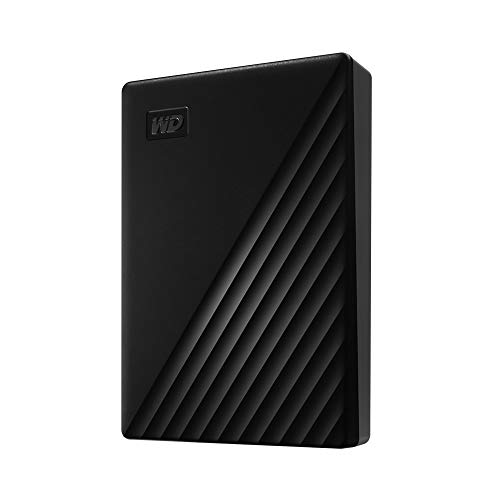
- 4TB portable storage
- Hardware encryption and password protection
- Backup software with ransomware defense
Best For: Security-conscious backups and portable file storage
Best High-Capacity Pick
- Large 5TB storage capacity
- USB 3.0 plug-and-play setup
- Works with Mac and Windows
Best For: Portable multimedia storage and backups
Best Maximum-Capacity Value
- Highest capacity at 6TB
- Portable 2.5-inch design
- SuperSpeed USB 3.2 Gen 1
Best For: Large Mac media libraries and file collections
Best Security-Focused Compact Pick

- Slim, portable 2TB design
- Password protection and encryption
- Includes backup software
Best For: Portable storage with added file security
Rugged Protection – LaCie Rugged USB-C 4TB
For shoppers comparing external hard drives for mac, the LaCie Rugged USB-C is a strong portable option when durability matters as much as capacity. It offers 4TB of storage, USB-C connectivity, and protection against drops, dust, drips, and crushing.
Best For: Mac users who carry photo, video, audio, or project files into demanding environments.
Pros:
- MIL-STD-810F tested for drops up to 4 feet and rated for 1-ton crush resistance.
- IP52 dust and drip protection helps in challenging field conditions.
- Includes 256-bit AES hardware encryption, password protection, and Rescue Data Recovery Services.
- USB-C connectivity and compatibility with MacBook, Mac, PC, and Windows devices.
Cons:
- Its mechanical 5400-rpm hard drive is less performance-focused than an SSD.
- At 4TB, it provides less capacity than some 5TB alternatives.
The LaCie Rugged USB-C stands out for users who need portable Mac storage with unusually robust physical protection. Its security features and recovery service add reassurance for valuable files, though its traditional hard-drive design is best suited to capacity and durability rather than maximum speed.
Everyday Backup – WD My Passport 5TB
The WD My Passport is a compact choice among external hard drives for mac, offering 5TB for personal, business, or gaming files. It works with Mac after reformatting and includes backup management software with ransomware defense, password protection, and hardware encryption.
Best For: Mac users seeking high-capacity everyday backup in a slim portable drive.
Pros:
- Provides 5TB of portable storage in a slim 2.5-inch design.
- Includes device management and backup software with defense against ransomware.
- Password protection and hardware encryption help secure stored files.
- Backed by a 3-year limited warranty.
Cons:
- Mac use requires reformatting.
- Includes a USB-A cable, so a compatible adapter or hub may be needed with some Macs.
This My Passport model is a practical pick when capacity, portability, and included backup tools are priorities. Mac owners should plan for reformatting and check their port setup before buying, but the security features and 5TB capacity make it versatile for routine storage.
Simple Plug and Play – Seagate Portable 4TB
The Seagate Portable 4TB keeps the setup simple for shoppers considering external hard drives for mac. Connect it with the included USB 3.0 cable, and it is designed for automatic recognition on Mac or Windows computers without additional software.
Best For: Mac users who want straightforward drag-and-drop storage for personal or business files.
Pros:
- Offers 4TB of portable storage for files, backups, and media.
- Designed to work with Mac and Windows computers.
- Plug-and-play setup requires no software, with drag-and-drop backup support.
- Includes an 18-inch USB 3.0 cable and 1-year Rescue service.
Cons:
- Its 1-year limited warranty is shorter than the coverage offered by several alternatives.
- Uses a mechanical hard drive rather than solid-state storage.
- USB 3.0 connectivity may require an adapter or hub with USB-C-only Macs.
This Seagate model is a sensible budget-minded choice for users who value uncomplicated setup over advanced security features. It delivers ample capacity and broad computer compatibility, while its conventional hard-drive construction and USB-A connection are worth considering for newer Mac setups.
Mac-Ready Security – WD My Passport Ultra for Mac 5TB
The WD My Passport Ultra for Mac is designed specifically for shoppers seeking external hard drives for mac. It arrives formatted for Mac, provides 5TB of portable storage, and combines USB-C compatibility with password protection and 256-bit AES hardware encryption.
Best For: Mac users who want a stylish, ready-to-use drive with strong file protection.
Pros:
- Formatted for Mac, reducing setup steps for compatible users.
- USB-C and USB 3.1 compatibility suits modern Mac connections.
- 5TB capacity supports personal and business storage needs.
- Features password protection and 256-bit AES hardware encryption.
Cons:
- Its mechanical hard-drive design is not an SSD-based performance solution.
- Mac-focused formatting may require reformatting for other use cases.
- The supplied notes do not specify a bundled backup cable or adapter beyond the included USB cable.
For Mac owners who want minimal setup and built-in security, the My Passport Ultra for Mac is an appealing all-around option. Its metal cover adds a refined look, while 5TB capacity and a 3-year limited warranty make it suitable for regular personal or business storage.
Simple Starter – Seagate Portable 1TB
If you need a straightforward option among external hard drives for Mac, the Seagate Portable 1TB keeps setup simple. Connect it with the included USB 3.0 cable, and it should be automatically recognized; Mac users may need to reformat it before use.
Best For: Personal backups and portable storage for Mac or Windows users who want a compact, plug-and-play HDD.
Pros:
- 1TB of portable storage for photos, documents, and other personal files.
- USB 3.0 connectivity with a cable included.
- Works with PC, Mac, PlayStation, and Xbox devices.
- Includes one year of Rescue Service.
Cons:
- Mac users may need to reformat the drive.
- Its 1TB capacity is smaller than the other options here.
This Seagate is a sensible pick when you want basic, portable storage without extra software. It is especially suitable for personal file backup rather than users seeking built-in encryption or a larger capacity.
High-Capacity Value – WD Elements Portable 5TB
The WD Elements Portable 5TB is a strong capacity-focused choice among external hard drives for Mac. Its USB 3.2 Gen 1 connection supports plug-and-play expandability, and the drive is compatible with both Mac and PC platforms.
Best For: Mac users who need substantial portable storage for large personal media libraries, documents, and backups.
Pros:
- Generous 5TB capacity for storing large collections.
- Portable 2.5-inch design weighing 8.32 ounces.
- SuperSpeed USB 3.2 Gen 1 connectivity with USB 3.0 compatibility.
- Plug-and-play setup for straightforward expansion.
Cons:
- The supplied notes do not mention included backup or security software.
- Mac and PC users may need to check or adjust formatting for their setup.
Choose this WD Elements model when capacity matters most. It offers considerably more room than the 1TB option while keeping the feature set focused on simple, portable expansion.
Secure Backup Pick – WD My Passport 4TB
The WD My Passport 4TB adds security and backup features that distinguish it from simpler external hard drives for Mac. Its included device-management software supports backup with ransomware defense, while password protection and hardware encryption help secure important files.
Best For: Mac or PC users who want portable storage with included backup tools, password protection, and hardware encryption.
Pros:
- 4TB capacity for photos, videos, music, documents, and more.
- Includes software for device management and backup with ransomware defense.
- Password protection and hardware encryption add security features.
- Slim portable design with a three-year limited warranty.
Cons:
- It is not the highest-capacity option in this selection.
- The included cable is USB-A, so some newer Mac setups may require an adapter.
This My Passport is the better fit when protecting files is as important as storing them. Its software and security features make it more versatile for business, multimedia, and personal use than a basic portable HDD.
Best High-Capacity Pick – Seagate Portable 5TB
For shoppers comparing external hard drives for Mac, the Seagate Portable 5TB is a straightforward option for carrying a large multimedia library. It connects over USB 3.0, supports plug-and-play setup, and is designed to work with Mac and Windows computers.
Best For: Mac users who want substantial portable storage for photos, videos, documents, or other multimedia files.
Pros:
- Generous 5TB capacity for portable storage and backups.
- USB 3.0 connectivity with an included 18-inch cable.
- Designed for Mac and Windows computers with drag-and-drop setup.
- Includes a 1-year Rescue Service and a 2-year limited warranty.
Cons:
- Mechanical HDD design is less compact than a portable SSD.
- Requires a USB connection and cable for use.
The Seagate Portable 5TB stands out when capacity matters more than the smallest possible size. Its simple setup makes it a practical Mac storage and backup companion.
Best Maximum-Capacity Value – WD Elements Portable 6TB
The WD Elements Portable 6TB is a strong choice for Mac users who need the most storage in this lineup. Its portable 2.5-inch design uses SuperSpeed USB 3.2 Gen 1 connectivity and is ready for plug-and-play expansion.
Best For: Mac owners who need up to 6TB for photos, videos, music, documents, and other personal files.
Pros:
- Offers a roomy 6TB capacity in a portable hard drive.
- Supports SuperSpeed USB 3.2 Gen 1 with a 5Gbps interface.
- Plug-and-play design simplifies storage expansion.
- Includes a 2-year limited warranty.
Cons:
- Plastic enclosure may feel less premium than metal-bodied alternatives.
- As a mechanical hard drive, it is not an SSD-based performance option.
Choose the WD Elements when maximum capacity is the priority. It provides more room than the other listed drives while retaining a portable format and simple USB setup.
Best Security-Focused Compact Pick – WD My Passport 2TB
For users choosing external hard drives for Mac who value portability and file protection, the WD My Passport 2TB combines a slim design with included backup and device-management software. It supports USB 2.0 and USB 3.0 connections and includes password protection with hardware encryption.
Best For: Mac users who want a compact drive with security features for personal, business, gaming, or everyday file storage.
Pros:
- Slim 2TB portable design for carrying important files.
- Includes backup and device-management software.
- Offers password protection and hardware encryption.
- Backed by a 3-year limited warranty.
Cons:
- Provides less storage than the 5TB and 6TB alternatives.
- Its listed compatibility and platform details emphasize PC, so Mac setup should be checked before purchase.
The My Passport is the most security-oriented option here, with a compact enclosure and protective software features. It makes sense when 2TB is sufficient and safeguarding files is especially important.
How We Picked the Best External Hard Drives for Mac
We focused on practical choices for Mac owners who need affordable local storage, backup capacity, or a portable drive for moving large files. The selection includes widely available models with USB connectivity, capacities suitable for everyday use, and compatibility with macOS or easy reformatting for Mac use.
We also considered portability, durability, security features, included recovery services, platform flexibility, and value. Because performance can vary by Mac, cable, file system, and workload, advertised USB standards should be treated as compatibility indicators rather than guaranteed real-world transfer speeds.
Quick Comparison
| Best For | Recommended Capacity | What to Look For |
|---|---|---|
| Basic backups and documents | 1TB–2TB | Compact design, dependable USB connection |
| Photos, music, and general storage | 4TB–5TB | Good value per terabyte and portable construction |
| Large media libraries | 5TB–6TB | Higher capacity and consistent backup habits |
| Travel and outdoor use | 4TB | Shock, dust, and water resistance |
| Security-conscious backups | 2TB–5TB | Password protection and backup software |
Key Buying Factors for External Hard Drives for Mac
Capacity and Backup Planning
Choose more capacity than your current files require. A drive used for Time Machine backups can fill faster than one used only for archived documents, so 4TB or more is often a sensible starting point for photo and video libraries. If you want multiple backup versions, allow additional headroom.
Mac Compatibility and Formatting
Many portable drives work with both Mac and Windows after formatting. Check whether the drive arrives formatted for Windows and plan to reformat it in Disk Utility if necessary. Reformatting erases existing data, so copy anything important first. For shared Mac and PC use, exFAT is generally more flexible; Mac-only backup use may favor a macOS-compatible format.
Connection, Portability, and Durability
USB 3.0 and USB 3.2 Gen 1 drives are suitable for backups and everyday file transfers, but mechanical hard drives remain slower than SSDs. Confirm that the included cable fits your Mac, or budget for a compatible USB-C adapter or cable. If the drive will travel frequently, a rugged enclosure can provide valuable protection against drops, dust, and rain.
Security and Recovery Features
Password protection can help protect stored data if the drive is lost, while bundled backup software may simplify routine backups. Rescue or data-recovery services vary by product and region, so review the coverage terms rather than treating them as a replacement for a second backup.
Who Should Buy Which External Hard Drives for Mac?
Choose a 1TB or 2TB model for a compact secondary copy of documents, schoolwork, or a modest photo collection. A 4TB or 5TB drive is the better all-purpose choice for most Mac owners, especially those building a Time Machine archive or storing media. Select a 6TB model when capacity matters more than maximum portability. Travelers and photographers should prioritize a rugged drive, while users handling sensitive files should favor password protection and maintain a separate backup in case the primary drive fails.