The best hard drive enclosures make it easy to reuse SATA drives, expand storage, recover files, or build a flexible desktop backup setup without buying another complete computer.
This roundup covers compact 2.5-inch cases, versatile 2.5/3.5-inch docks, and multi-bay enclosures for shoppers who need anything from a single portable drive to several terabytes of managed external storage.
Best 10 Hard Drive Enclosures Picks for 2026
Best Compact Pick
SABRENT 2.5-Inch USB 3.0 Enclosure

- Tool-free 2.5-inch SATA drive installation
- USB 3.0 speeds up to 5Gbps with UASP
- Compatible with Windows and Mac
Best For: Single 2.5-inch HDD or SSD upgrades and transfers
Best Four-Bay Value
TERRAMASTER D4-320 4-Bay DAS Enclosure

- Four bays for 2.5-inch or 3.5-inch SATA drives
- USB 3.2 Gen 2 supports up to 10Gbps
- Tool-free trays with hot-swappable drive access
Best For: Expandable desktop storage without RAID or NAS
Best Single 3.5-Inch Option
GODO Aluminum USB 3.0 Enclosure

- Powered enclosure for one 3.5-inch SATA drive
- USB 3.0 speeds up to 5Gbps with UASP
- Aluminum housing and removable vertical stand
Best For: Powered desktop use with one 3.5-inch HDD or SSD
Best Five-Bay DAS

- Five trayless bays for up to 100TB
- USB-C 10Gbps connection with hot-swapping
- Independent drive access; no RAID or NAS
Best For: High-capacity direct-attached storage with five drives
Best All-Around Enclosure
UGREEN 2.5/3.5-Inch SATA Enclosure
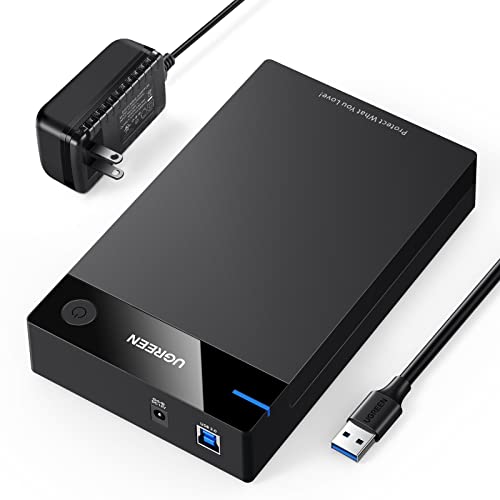
- Supports 2.5- and 3.5-inch SATA drives up to 20TB
- USB 3.0 with UASP speeds up to 5Gbps
- Includes 12V power adapter and tool-free setup
Best For: Flexible external storage for SATA HDDs and SSDs
Best for Quick Drive Swaps

- Tool-free hot swapping for bare SATA drives
- Supports 2.5- and 3.5-inch SATA HDDs and SSDs
- Includes required 12V adapter for 3.5-inch drives
Best For: Frequent access to bare SATA drives
Best Multi-Drive Option

- Four bays support up to 80TB total capacity
- USB-A and USB-C 3.0 cables are included
- Tool-free hot swap design with active cooling
Best For: Centralizing multiple SATA drives in a desktop DAS setup
Versatile SATA Storage
Tool-Free 2.5/3.5-Inch Enclosure
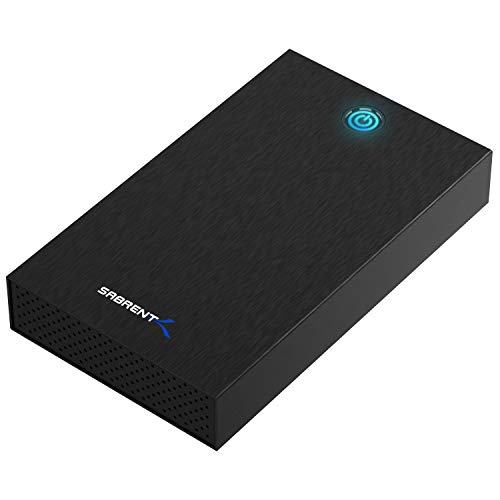
- Fits 2.5-inch and 3.5-inch SATA drives
- Tool-free setup with USB 3.0 and UASP
- Requires included 12V AC power adapter
Best For: Flexible SATA drive reuse at a desk
Portable SSD Pick
Tool-Free 2.5-Inch SATA Enclosure

- Supports 2.5-inch SATA drives up to 6TB
- Includes USB Type-C/Type-A cable
- Tool-free and hot-swappable design
Best For: Portable 2.5-inch SATA drive upgrades
Desktop Expansion
Dual-Bay SATA Enclosure with Fan

- Holds two 2.5-inch or 3.5-inch SATA drives
- Tool-free trays with hot-swap support
- Cooling fan, USB-A/C 3.0, and daisy chaining
Best For: Two-drive desktop storage expansion
Best Compact Pick – SABRENT 2.5-Inch USB 3.0 Enclosure
If you need a simple way to reuse a 2.5-inch SATA drive, this SABRENT enclosure is one of the more straightforward hard drive enclosures to consider. Its tool-free design, USB 3.0 connectivity, and UASP support make it suitable for SSD upgrades, drive transfers, and portable storage.
Best For: Users who need a compact enclosure for one 2.5-inch SATA HDD or SSD.
Pros:
- Tool-free installation with plug-and-play operation
- Supports USB 3.0 transfer rates up to 5Gbps
- Compatible with 2.5-inch SATA drives and UASP SATA III
- Works with Windows and Mac systems
Cons:
- Supports only one 2.5-inch drive
- Plastic construction may be less robust than aluminum alternatives
- Not designed for 3.5-inch hard drives
This is a practical, lightweight choice for single-drive use. It is especially appealing when easy installation and broad compatibility matter more than advanced multi-drive features.
Best Four-Bay Value – TERRAMASTER D4-320 4-Bay DAS Enclosure
The TERRAMASTER D4-320 is a diskless, four-bay DAS for users who need more capacity than a single-drive case can provide. It supports 2.5-inch and 3.5-inch SATA drives, connects over USB 3.2 Gen 2, and provides tool-free, hot-swappable storage expansion without RAID functionality.
Best For: Users building a flexible four-drive desktop storage setup with individual disk access.
Pros:
- Holds four SATA HDDs or SSDs
- USB 3.2 Gen 2 connectivity with up to 10Gbps transmission
- Tool-free trays and hot-swappable drive support
- Compatible with Windows, Mac, and Linux
Cons:
- Diskless design requires separately purchased drives
- Does not provide RAID functionality
- Desktop enclosure is less portable than single-drive options
With four independent drive bays and a temperature-controlled fan, the D4-320 is suited to expandable desktop storage. Choose it when capacity and convenient drive management are priorities, but do not expect NAS or RAID features.
Best Single 3.5-Inch Option – GODO Aluminum USB 3.0 Enclosure
This GODO model is a single-drive enclosure for 3.5-inch SATA HDDs and SSDs. Its aluminum housing helps with heat dissipation, while the included 12V/2A power adapter provides the external power required by larger desktop drives. UASP support and USB 3.0 connectivity add practical performance for everyday storage access.
Best For: Desktop users who want a powered enclosure for one 3.5-inch SATA drive.
Pros:
- Supports 3.5-inch SATA I, II, and III drives
- USB 3.0 transfer rates up to 5Gbps with UASP
- Aluminum housing supports heat dissipation
- Includes power adapter, stand, screws, and screwdriver
Cons:
- Designed for one drive only
- Requires a separate power adapter connection
- Installation involves screws rather than a fully tool-free design
The GODO enclosure offers a useful balance of powered operation, cooling-focused construction, and included installation accessories. It is a sensible fit for turning a spare 3.5-inch internal drive into desktop or laptop-accessible external storage.
Best Five-Bay DAS – SABRENT 5-Bay USB-C Enclosure
For high-capacity desktop storage, this SABRENT five-bay enclosure provides five trayless slots for 3.5-inch SATA HDDs or SSDs. It uses a 10Gbps USB-C connection, supports hot-swapping, and gives each bay an independent connection, while operating as JBOD-style DAS rather than RAID or NAS.
Best For: Users who need a large, direct-attached five-drive storage dock with convenient bay-level access.
Pros:
- Five tool-free 3.5-inch SATA bays support up to 100TB total
- USB-C 10Gbps connectivity with included USB-C cables
- Trayless hot-swap design with per-bay power switches
- PWM temperature-controlled cooling fan and aluminum housing
Cons:
- Drives are not included
- No hardware RAID or NAS functionality
- Large, heavy desktop enclosure weighing 10 pounds
This is a strong choice for users managing several individual drives from one computer. Its cooling, locking features, and independent bay connections add convenience, but buyers should be prepared for a substantial desktop unit and software-based storage management.
Best All-Around Enclosure – UGREEN 2.5/3.5-Inch SATA Enclosure
For a flexible hard drive enclosure that supports both 2.5-inch and 3.5-inch SATA drives, the UGREEN model offers a straightforward way to add external storage. It supports drives up to 20TB, includes a 12V power adapter, and uses USB 3.0 with UASP for transfers up to 5Gbps.
Best For: Users who need one enclosure for SATA HDDs and SSDs, including storage upgrades, backups, and compatible gaming consoles.
Pros:
- Supports 2.5-inch and 3.5-inch SATA I/II/III HDDs and SSDs up to 20TB.
- USB 3.0 and UASP provide up to 5Gbps transfer speeds.
- Includes a 12V/2A power adapter and requires no tools or drivers.
- Rubber strips, ABS construction, and ventilation openings add practical drive protection.
Cons:
- Holds one drive at a time.
- Uses a USB 3.0 connection rather than USB-C.
- Users should safely eject the drive before unplugging it to help avoid data loss.
This is a versatile choice for mixed SATA drive collections. Its broad compatibility and included power supply make it especially practical for 3.5-inch desktop drives, while the tool-free setup keeps occasional drive access simple.
Best for Quick Drive Swaps – SABRENT SATA Docking Station
The SABRENT is a hard drive enclosure in an open, lay-flat docking format designed for convenient access to bare SATA drives. It supports 2.5-inch and 3.5-inch SATA HDDs and SSDs, offers tool-free hot swapping, and includes the power adapter needed for 3.5-inch drives.
Best For: Users who frequently read, swap, or clone bare SATA drives and want a simple desktop docking station.
Pros:
- Accepts both 2.5-inch and 3.5-inch SATA I/II/III drives.
- Tool-free, plug-and-play design supports hot swapping without rebooting.
- Includes a 12V/2A adapter for stable 3.5-inch drive operation.
- USB 3.0 with UASP support and a power/activity LED simplify use.
Cons:
- Supports SATA drives only; it does not support IDE/PATA, M.2, NVMe, or SAS drives.
- The included cable uses USB Type-A, so USB-C-only computers need an adapter.
- S.M.A.R.T. diagnostics do not pass through the USB bridge.
Choose this dock when convenience matters more than enclosing and transporting a drive. The open bay makes repeated swaps easy, but confirm your drive connector and computer ports before ordering.
Best Multi-Drive Option – CENMATE 4-Bay SATA Enclosure
For managing several drives from one desktop setup, the CENMATE is a four-bay hard drive enclosure supporting 2.5-inch and 3.5-inch SATA HDDs and SSDs. It provides up to 80TB of total supported capacity, USB 3.0 connectivity, USB-A and USB-C cables, and tool-free hot-swappable access.
Best For: Home users and small businesses that need centralized access to multiple SATA drives without setting up RAID or NAS.
Pros:
- Four bays support up to 80TB total, with up to 20TB per drive.
- Accepts both 2.5-inch and 3.5-inch SATA HDDs and SSDs.
- Includes USB-A and USB-C 3.0 cables for broader host compatibility.
- Aluminum construction, a cooling fan, and a 12V power adapter support sustained use.
Cons:
- This is DAS, not a RAID or NAS system.
- The cooling fan may produce approximately 40–50 decibels of noise.
- Its larger four-bay design takes more desk space than a single-drive enclosure.
The CENMATE makes the most sense when a single-drive enclosure is too limiting. Its four bays and high capacity are useful for consolidating storage, though buyers should account for fan noise and the absence of RAID or network sharing.
Versatile SATA Storage – Tool-Free 2.5/3.5-Inch Enclosure
The SABRENT EC-KSL3 is a practical choice among hard drive enclosures when you need to reuse either a 2.5-inch or 3.5-inch SATA HDD or SSD. Its tool-free design makes drive swaps quick, while USB 3.0 with UASP supports faster transfers than older USB connections.
Best For: Users who need one enclosure for compatible 2.5-inch and 3.5-inch SATA drives and have access to a wall outlet.
Pros:
- Supports both 2.5-inch and 3.5-inch SATA HDDs and SSDs.
- Tool-free, slide-in installation simplifies drive changes.
- Includes USB 3.0 with UASP, aluminum housing, and a 12V power adapter.
- Works with Windows 10/11, macOS, and Linux without additional drivers.
Cons:
- Not compatible with SAS, M.2, NVMe, or IDE/PATA drives.
- Requires an AC wall outlet and is not USB bus-powered.
- USB-A connection may require a separate adapter for USB-C-only computers.
This enclosure offers broad SATA form-factor support and convenient plug-and-play operation. Verify your drive dimensions—especially for some 4TB-and-larger 3.5-inch models—before buying, and note that S.M.A.R.T. diagnostics are unavailable through its USB bridge.
Portable SSD Pick – Tool-Free 2.5-Inch SATA Enclosure
The BENFEI 2.5-inch enclosure is a compact option among hard drive enclosures for turning a 2.5-inch SATA HDD or SSD into external storage. It includes a USB Type-C/Type-A cable and uses a JMS580 chipset with UASP support for up to 6Gbps theoretical transfer rates.
Best For: Laptop, console, and desktop users converting a 2.5-inch SATA drive into a portable external drive.
Pros:
- Supports 2.5-inch SATA I/II/III HDDs and SSDs up to 6TB.
- Tool-free, hot-swappable installation requires no drivers.
- Includes a USB Type-C/Type-A 10Gbps cable.
- Compatible with Windows, Linux, and macOS 8.0 and later.
Cons:
- Does not support 3.5-inch drives or non-SATA formats.
- Designed for 7mm/9.5mm-thick 2.5-inch drives, limiting compatibility with other heights.
- Its listed transfer rates are theoretical and depend on the drive and host connection.
With its lightweight design, included dual-connector cable, and simple push-in installation, the BENFEI is well suited to portable 2.5-inch SATA storage. Check your drive’s thickness and capacity before ordering.
Desktop Expansion – Dual-Bay SATA Enclosure with Fan
The CENMATE two-bay enclosure stands out among hard drive enclosures when you need to operate two SATA drives from one desktop unit. It accepts 2.5-inch and 3.5-inch HDDs or SSDs, includes USB-A and USB-C 3.0 connectivity, and adds an aluminum body with a cooling fan.
Best For: Home-office or business users who need expandable external storage for two SATA drives and do not require RAID or NAS functionality.
Pros:
- Holds two 2.5-inch or 3.5-inch SATA drives, up to 20TB per drive.
- Tool-free trays and hot swapping simplify drive installation and replacement.
- Built-in fan and aluminum construction help with cooling.
- Supports USB-A/USB-C 3.0, daisy chaining, and Windows, Mac, and Linux systems.
Cons:
- Operates as DAS and does not provide RAID or NAS features.
- Fan noise is listed at approximately 40–50 decibels.
- USB 3.0 transfer speeds are rated up to 5Gbps, below newer USB standards.
This is the strongest fit here for multi-drive desktop expansion, especially if hot swapping and daisy-chain capacity matter. Its cooling fan adds practicality for sustained use, but noise-sensitive users should consider the stated operating level.
How We Picked These Hard Drive Enclosures
We selected enclosures across the main use cases: portable 2.5-inch SSD and HDD storage, bare-drive docking, and multi-bay desktop expansion. We considered drive compatibility, USB interface claims, tool-free installation, hot-swapping, cooling, capacity support, and the practical differences between a simple enclosure and a diskless direct-attached storage (DAS) unit.
Specifications can vary by host computer, drive, cable, and operating system. In particular, advertised USB speeds represent interface limits rather than guaranteed file-transfer performance. Mechanical hard drives are also much slower than SATA SSDs, regardless of the enclosure’s rated bandwidth.
Quick Comparison
| Best For | Recommended Type | What to Look For |
|---|---|---|
| Portable single-drive storage | 2.5-inch tool-free enclosure | USB 3.0, UASP, compact construction |
| Using bare drives temporarily | 2.5/3.5-inch docking station | Drive-size support, stable base, easy insertion |
| Several desktop drives | Multi-bay enclosure or DAS | Cooling, independent drive support, USB-C bandwidth |
| SSD upgrades or cloning workflows | 2.5-inch SATA enclosure or dock | UASP, SATA III support, tool-free access |
Key Buying Factors for Hard Drive Enclosures
Drive Size and Interface
Confirm whether your drive is a 2.5-inch or 3.5-inch SATA model. Most laptop HDDs and 2.5-inch SATA SSDs fit compact enclosures, while 3.5-inch desktop HDDs usually require a larger case, a dock, or an enclosure with its own power adapter. These products are intended for SATA drives; they do not directly fit M.2 NVMe drives unless explicitly stated.
USB Speed and UASP
USB 3.0 is sufficient for many hard drives and offers a substantial improvement over USB 2.0. USB-C and 10Gbps interfaces can be more useful with SATA SSDs or multiple drives, but your computer’s port and the included cable must support the same standard. UASP can improve command handling and reduce overhead on compatible systems.
Power, Cooling, and Drive Access
Small 2.5-inch enclosures commonly draw power from USB. Multi-bay and 3.5-inch designs generally need external power because desktop drives require more energy. For sustained transfers or several installed drives, prioritize ventilation or an active cooling fan. Tool-free access is convenient, while hot-swapping is valuable for workflows that regularly change disks—but always eject drives safely before removal.
Single Enclosure or Multi-Bay DAS?
A single enclosure is simpler and usually more portable. A multi-bay DAS offers greater capacity and easier access to several disks, but it costs more, occupies more desk space, and may introduce additional cooling, power, and cable-management considerations. Do not assume a multi-bay enclosure provides RAID unless the product specifically supports it.
Who Should Buy Which Hard Drive Enclosures?
- Choose a compact 2.5-inch enclosure if you want to reuse a laptop drive, carry an SSD, or make a quick external backup drive.
- Choose a 2.5/3.5-inch dock if you frequently swap bare SATA drives for troubleshooting, migration, cloning, or file recovery.
- Choose a two-bay enclosure if you need a stable desktop setup for multiple drives without the size of a larger storage unit.
- Choose a four- or five-bay enclosure if you need several desktop drives connected at once and value capacity, cooling, and centralized cable management.
Before ordering, verify the drive type, available computer ports, power requirements, operating-system compatibility, and whether your intended backup or RAID software is supported separately from the enclosure itself.