A dependable external drive gives your files a second home outside your computer, helping protect photos, documents, and creative projects from hardware failure or accidental deletion.
This roundup compares 10 portable HDDs, desktop drives, and SSDs from Seagate, WD, and SanDisk, with options for everyday backups, large media libraries, and faster file transfers.
Best 10 External Hard Drives for Backups Picks for 2026
Best Everyday Backup Value
Seagate Backup Plus Portable 4TB

- 4TB capacity in a portable enclosure
- Scheduled or one-click backup options
- Two-year limited warranty
Best For: Portable Windows and Mac backups
Best Rugged SSD
SanDisk Extreme Portable SSD 2TB
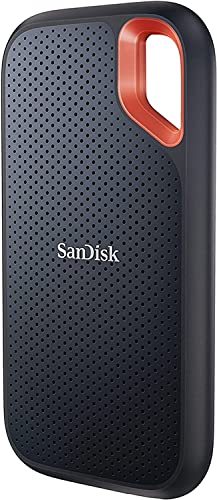
- Up to 1,050MB/s read speeds
- Up to 3-meter drop protection and IP65 rating
- 256-bit AES hardware encryption
Best For: Fast, durable mobile backups
Best Desktop Capacity
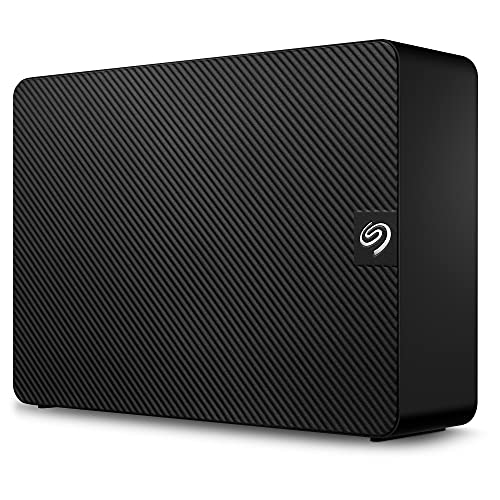
- 4TB desktop storage
- USB 3.0 file transfers
- Includes rescue data recovery services
Best For: Stationary home or office backups
Best Plug-and-Play Simplicity

- 2TB portable storage
- Plug-and-play expandability
- USB 3.2 Gen 1 connectivity
Best For: Simple personal PC backups
Best Portable Pick
Seagate 2TB Portable Hard Drive

- 2TB portable storage
- USB 3.0 plug-and-play setup
- Works with Windows and Mac
Best For: Simple personal or business backups on the go
Best High-Capacity Value
WD 5TB Elements Portable Drive
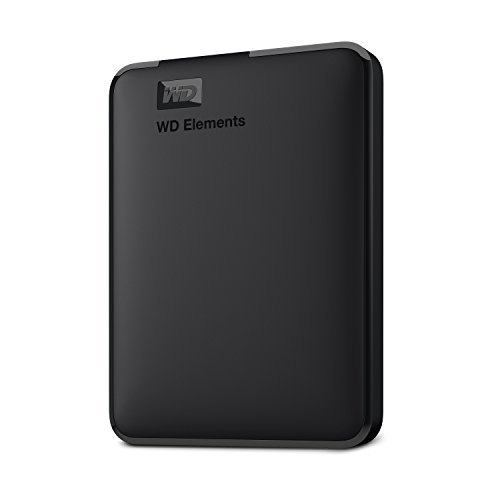
- Ample 5TB storage
- Portable 2.5-inch enclosure
- USB 3.2 Gen 1 plug-and-play connectivity
Best For: Large personal backups and portable file storage
Best Security Features

- Automatic or file-based backup
- Password protection and hardware encryption
- USB 3.0 and USB 2.0 support
Best For: Stationary backups where added file protection matters
High-Capacity Protection

- 5TB portable capacity
- Ransomware-defense backup software
- Password protection and hardware encryption
Best For: Large personal, business, gaming, and media backups
Simple Everyday Storage

- Portable 1TB storage
- One-click or scheduled backups
- USB 3.0 and metal enclosure
Best For: Routine personal backups on Windows or Mac
Balanced Portable Backup

- 2TB portable capacity
- Ransomware-defense backup software
- Password protection and hardware encryption
Best For: Everyday backups needing extra capacity and security
Best Everyday Backup Value – Seagate Backup Plus Portable 4TB
If you need generous capacity without a desktop-sized setup, the Seagate Backup Plus Portable is a practical choice among external hard drives for backups. Its 4TB capacity, USB 3.0 connection, and portable metal enclosure suit photo libraries, documents, and everyday laptop backups.
Best For: Portable personal or business backups for Windows and Mac users.
Pros:
- Provides 4TB of storage for photos and files.
- Supports one-click or scheduled daily, weekly, and monthly backups.
- Includes a two-year limited warranty plus Mylio Create and Adobe Creative Cloud trial benefits.
- Compact brushed metal enclosure is suited to on-the-go use.
Cons:
- Reformatting may be required for Time Machine.
- Mechanical HDD speeds are more modest than a portable SSD.
The Backup Plus Portable balances capacity, portability, and straightforward backup options. It is a strong fit when you want 4TB of storage and do not need SSD-level transfer performance.
Best Rugged SSD – SanDisk Extreme Portable SSD 2TB
The SanDisk Extreme Portable SSD is a speed-focused option among external hard drives for backups. With up to 1,050MB/s read and 1,000MB/s write speeds, a compact design, and protection against drops, water, and dust, it is built for active users moving large files.
Best For: Fast portable backups for photographers, travelers, and performance-conscious users.
Pros:
- Offers NVMe SSD performance with up to 1,050MB/s read speeds.
- Provides up to 3-meter drop protection and IP65 water and dust resistance.
- Includes password protection with 256-bit AES hardware encryption.
- Five-year limited manufacturer warranty adds long-term coverage.
Cons:
- 2TB capacity is smaller than the 4TB HDD options in this roundup.
- Actual performance can vary with the host device and other factors.
This drive makes sense when speed, durability, and security matter more than maximum capacity. Its portable SSD design is especially useful for frequent file transfers and backups away from a desk.
Best Desktop Capacity – Seagate Expansion Desktop 4TB
The Seagate Expansion Desktop provides a simple, high-capacity approach to external hard drives for backups. Its 4TB desktop form factor uses USB 3.0 for file transfers and is designed to stay connected to a workstation, with a dedicated power supply for setup at home or in an office.
Best For: Large stationary backups for desktop computers, laptops, and selected gaming consoles.
Pros:
- Offers 4TB of storage for personal files and media.
- Supports fast file transfers through USB 3.0.
- Automatically recognizes Windows and Mac computers for easy setup.
- Includes limited warranty coverage and rescue data recovery services.
Cons:
- Requires a power supply, so it is less convenient for travel.
- Reformatting is required for Time Machine use.
- Desktop design is larger and heavier than portable alternatives.
Choose the Expansion Desktop when you want a straightforward 4TB backup destination that can remain beside your computer. It is less flexible on the go, but its desktop-oriented design suits centralized storage.
Best Plug-and-Play Simplicity – WD Elements Portable 2TB
WD Elements Portable keeps external hard drives for backups uncomplicated with plug-and-play expandability and a USB 3.0 connection. Its 2TB capacity and lightweight enclosure make it a convenient option for storing photos, videos, music, and documents with a compatible computer.
Best For: Simple personal backups and extra storage for PC users who value portability.
Pros:
- Provides 2TB of additional storage in a small enclosure.
- Supports SuperSpeed USB 3.2 Gen 1 at up to 5Gbps.
- Plug-and-play setup helps simplify expansion.
- Two-year limited warranty is included.
Cons:
- Lower capacity than the 4TB Seagate drives.
- Supplied platform details emphasize PC compatibility, so Mac users should verify formatting needs.
- Mechanical HDD design is not as fast as an SSD.
WD Elements is a sensible pick for routine file storage and uncomplicated backups. It offers a compact, accessible design, though users with larger media collections may prefer a higher-capacity drive.
Best Portable Pick – Seagate 2TB Portable Hard Drive
For shoppers comparing external hard drives for backups, the Seagate Portable Drive offers 2TB of storage in a compact, plug-and-play design. It works with Windows and Mac computers, connects over USB 3.0, and supports simple drag-and-drop file backups without additional software.
Best For: Personal or business users who want a lightweight, straightforward backup drive for a laptop or desktop.
Pros:
- 2TB capacity for storing documents, photos, and other files.
- USB 3.0 connectivity and an included 18-inch cable.
- Automatic computer recognition with no software required.
- Compact 190-gram portable design.
Cons:
- Lower capacity than the 5TB alternative in this roundup.
- Mechanical hard-drive design may be less convenient for users seeking solid-state storage.
This is a practical choice when portability and simple setup matter more than maximum capacity. Its Windows and Mac compatibility makes it a flexible everyday backup option.
Best High-Capacity Value – WD 5TB Elements Portable Drive
If you need generous capacity from external hard drives for backups, the WD Elements Portable provides 5TB in a compact 2.5-inch enclosure. Its plug-and-play design uses SuperSpeed USB 3.2 Gen 1 connectivity and supports both PC and Mac platforms.
Best For: Users who need substantial portable storage for personal files, media, and recurring computer backups.
Pros:
- Large 5TB capacity for extensive file storage.
- Portable 2.5-inch design weighing 8.32 ounces.
- SuperSpeed USB 3.2 Gen 1, also compatible with USB 3.0.
- Plug-and-play setup for PC and Mac.
Cons:
- The supplied notes specify a 2-year limited warranty but no backup software.
- As a mechanical hard drive, it is not a solid-state storage device.
The WD Elements is the strongest capacity-focused option here. Choose it when carrying more data matters and you want a simple external drive that works across common computer platforms.
Best Security Features – WD My Book 2TB Backup Drive
The WD My Book combines 2TB of storage with features that are useful when evaluating external hard drives for backups. It supports USB 3.0 and USB 2.0, offers automatic continuous or file-based backup options, and includes password protection with hardware encryption.
Best For: Users who prioritize scheduled backup options and added protection for personal files.
Pros:
- Automatic continuous backup or selectable file backup.
- Password protection and hardware encryption.
- USB 3.0 and USB 2.0 compatibility.
- Backed by a 2-year limited warranty.
Cons:
- Its 3.5-inch design and 2.6-pound weight are less portable than the other options.
- Capacity is limited to 2TB.
- The supplied notes identify it as a mechanical hard drive.
Choose the My Book when backup automation and data protection are more important than portability. It is a better fit for a stationary desk setup than for carrying between locations.
High-Capacity Protection – WD 5TB My Passport
For shoppers comparing external hard drives for backups, the WD 5TB My Passport combines substantial capacity with included backup and device-management software. Its portable design, password protection, and hardware encryption make it a practical choice for carrying and safeguarding large collections of files.
Best For: Users who need generous portable storage for personal, business, gaming, or mixed backups.
Pros:
- 5TB capacity accommodates photos, videos, documents, and other large file collections.
- Included software supports backup management and includes defense against ransomware.
- Password protection and hardware encryption help secure important files.
- Compact 2.5-inch design weighs 7.4 ounces and includes a three-year limited warranty.
Cons:
- Mac users may need to reformat the drive.
- Uses a USB-A cable, which may require an adapter for some newer devices.
This is the strongest capacity-focused option in the group, especially if you want backup features and added security without moving to a larger desktop drive.
Simple Everyday Storage – Seagate Backup Plus Slim 1TB
The Seagate Backup Plus Slim is a straightforward option for external hard drives for backups, offering 1TB of portable storage in a minimalist metal enclosure. It supports one-click or scheduled backups through a USB 3.0 connection and works with Windows and Mac computers, though Mac use with Time Machine may require reformatting.
Best For: Everyday users who want a compact drive for a moderate collection of photos, documents, and other personal files.
Pros:
- Portable 1TB capacity is suitable for everyday file storage and backups.
- USB 3.0 connectivity supports plug-and-play use with Windows or Mac computers.
- Supports one-click backups or automatic daily, weekly, or monthly schedules.
- Metal enclosure and included two-year limited warranty add practical appeal.
Cons:
- 1TB offers less room than the two WD alternatives.
- Reformatting may be required for use with Time Machine.
Choose this model when simplicity and portability matter more than maximum capacity or built-in encryption features. Its scheduled-backup support makes it useful for routine computer backups.
Balanced Portable Backup – WD 2TB My Passport
The WD 2TB My Passport offers a middle ground for shoppers seeking external hard drives for backups without paying for the largest capacity. It includes backup-management software with ransomware defense, plus password protection and hardware encryption, in a slim portable enclosure.
Best For: Users who want a portable everyday backup drive with more room than 1TB and added file-security features.
Pros:
- 2TB capacity provides room for documents, photos, music, videos, and other backups.
- Included software supports backup management and defense against ransomware.
- Password protection and hardware encryption help protect stored files.
- Lightweight 2.5-inch design weighs 4.23 ounces and includes a three-year limited warranty.
Cons:
- Mac users may need to reformat the drive.
- The supplied specifications identify it as a mechanical hard disk rather than a solid-state drive.
With twice the capacity of the Seagate while remaining smaller than the 5TB WD model, this drive is a sensible compromise for routine backups and portable file storage.
How We Picked the Best External Hard Drives for Backups
We focused on practical backup needs: usable capacity, portability, connection type, backup features, and overall fit for different computers and workflows. The selection includes traditional hard disk drives for affordable bulk storage, portable models for travel, desktop drives for larger always-connected libraries, and a portable SSD for users who prioritize speed and durability.
We also considered whether each drive is broadly compatible with Windows and Mac computers, while noting that some drives may need reformatting before use with a particular operating system. Listed capacities are manufacturer ratings, so usable space will be slightly lower after formatting.
Quick Comparison
| Drive type | Best suited for | Main advantage | Trade-off |
|---|---|---|---|
| Portable HDD | Everyday laptop backups | Low cost and no external power brick | Slower and more vulnerable to drops than SSDs |
| Desktop HDD | Large home or office backups | High capacity for the price | Requires a power outlet |
| Portable SSD | Frequent travel and fast transfers | Much faster, quieter, and more shock resistant | Usually costs more per terabyte |
Key Buying Factors for External Hard Drives for Backups
Capacity
Choose enough room for your current data plus future growth. A 1TB drive can suit documents and smaller photo libraries, while 2TB to 5TB models offer more flexibility for photos, videos, game files, and system images. Avoid filling a backup drive completely; leaving free space makes ongoing backups easier to manage.
Portability and Power
Portable drives draw power through USB and are convenient for laptops, travel, and off-site rotation. Desktop models generally provide larger capacities and sustained storage value but need a dedicated power adapter and a stable location.
Speed and Durability
HDDs are usually the economical choice for scheduled backups. SSDs can substantially reduce transfer times and handle movement better because they have no spinning disks. For a drive that stays on a desk and runs occasional backups, HDD speed is often sufficient.
Compatibility and Security
Check the included cable and your computer’s USB ports, but remember that newer USB versions are generally backward compatible. Password protection and ransomware-focused backup software can add useful safeguards, although they should complement—not replace—multiple backup copies.
Who Should Buy Which External Hard Drives for Backups?
Choose a portable HDD if you want affordable, straightforward storage for a laptop or a backup drive you can store away after use. Choose a desktop HDD if you need several terabytes for a large photo, video, or household archive and do not need to carry it around. Choose a portable SSD if fast transfers, quiet operation, and better resistance to everyday movement matter more than the lowest price per terabyte.
For the strongest protection, follow a simple 3-2-1 approach: keep three copies of important data, on two types of storage, with at least one copy stored elsewhere. Whichever drive you select, schedule automatic backups, safely eject it when finished, and periodically verify that your files can be restored.